Changing API key
If your organization uses multiple API keys, you can change the API key assigned to an agent.
Requirements and prerequisites
Before changing an API key, ensure that:
-
Your agent's version is 11.0.4 or later. If you are running an earlier version, upgrade the agent to the latest version.
-
The agent is running and is in either the Idle or Ingesting state.
Change the API key assigned to an agent
-
On the dashboard, click the name of the running agent to display the Manage Ingest Agent page.
-
On the Manage Ingest Agent page, click the Setup icon
 next to API Key:
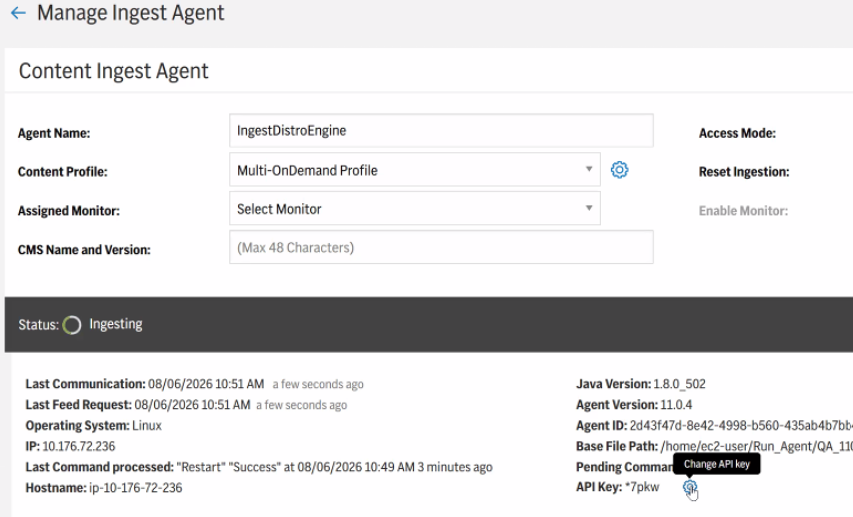
- In the Change API Key dialog box, select the new API key from the list.
- Click Update to save your changes.
If you encounter any issues, see Upgrading to a new agent version manually.